The Complete Buyer’s Guide (2026)
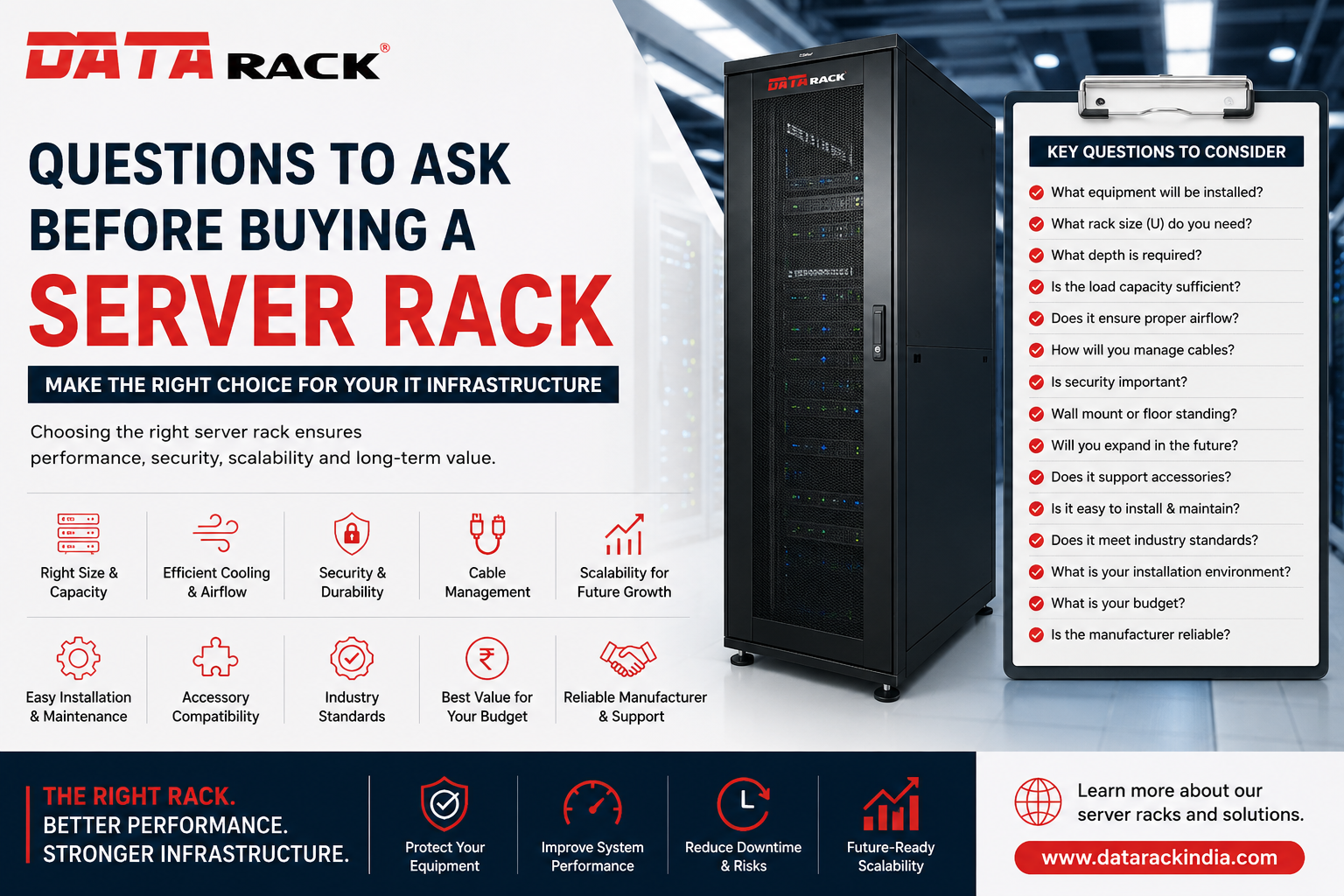
Planning to buy a server rack? Discover the 15 essential questions you should ask before purchasing a server rack to ensure optimal performance, scalability, airflow, and long-term reliability.
Questions to Ask Before Buying a Server Rack
Choosing the right server rack is one of the most important decisions when building or upgrading your IT infrastructure. Whether you’re setting up a server room, expanding a data center, or organizing network equipment, selecting the wrong rack can lead to overheating, poor cable management, limited scalability, and unnecessary maintenance costs.
A server rack is much more than a metal enclosure—it protects valuable IT equipment, improves airflow, enhances security, and simplifies maintenance. Before making your purchase, ask these essential questions to ensure you’re investing in the right solution.
1. What Equipment Will Be Installed?
Start by listing all the equipment you plan to install, such as:
- Servers
- Network switches
- Routers
- Firewalls
- UPS systems
- Patch panels
- Storage devices
- PDUs
Knowing your equipment helps determine the required rack size, weight capacity, and depth.
2. What Rack Height (U Size) Do You Need?
Server racks are measured in Rack Units (U).
Common sizes include:
- 6U
- 9U
- 12U
- 15U
- 18U
- 22U
- 27U
- 32U
- 42U
- 47U
Always choose a rack with additional space for future expansion instead of selecting one that’s already full.
Pro Tip: Leave at least 20–30% extra rack space for future equipment.
3. What Rack Depth Is Required?
Not all servers have the same depth.
Typical rack depths include:
- 600 mm
- 800 mm
- 1000 mm
- 1200 mm
Deep servers require deeper racks. Always verify your equipment dimensions before ordering.
4. Is the Rack Load Capacity Sufficient?
Each rack has a maximum static and dynamic load rating.
Consider:
- Total equipment weight
- Future additions
- UPS weight
- Cable weight
- Accessories
Buying a rack with insufficient load capacity can reduce equipment lifespan and create safety risks.
5. Does the Rack Provide Proper Airflow?
Cooling is critical for IT equipment.
Look for features such as:
- Perforated front and rear doors
- Fan mounting options
- Proper ventilation
- Space for airflow
- Blanking panels
Efficient airflow helps reduce overheating and improves server performance.
6. How Will You Manage Cables?
Poor cable management causes:
- Difficult maintenance
- Reduced airflow
- Increased downtime
- Longer troubleshooting time
Choose a rack that supports:
- Vertical cable managers
- Horizontal cable organizers
- Brush panels
- Cable rings
- Cable entry points
Organized cabling keeps your infrastructure clean, safe, and easy to maintain.
7. Is Physical Security Important?
If multiple people have access to your IT room, security becomes essential.
Choose racks with:
- Lockable front doors
- Lockable rear doors
- Lockable side panels
- Strong steel construction
Secure server racks help protect valuable IT equipment from unauthorized access.
8. Do You Need Floor Standing or Wall Mount Racks?
Choose based on your application.
Wall Mount Racks
Ideal for:
- Small offices
- Retail stores
- CCTV installations
- Network switches
Floor Standing Racks
Best for:
- Data centers
- Enterprise IT rooms
- Large server installations
- Telecom applications
9. Will You Expand in the Future?
Many businesses outgrow their racks within a few years.
Ask yourself:
- Will more servers be added?
- Will storage requirements increase?
- Are additional switches planned?
Buying a slightly larger rack today can save significant replacement costs later.
10. Does the Rack Support Accessories?
Accessories improve functionality and maintenance.
Essential accessories include:
- PDUs
- Cooling fans
- Fixed shelves
- Sliding shelves
- Keyboard trays
- Cable managers
- Blanking panels
- Brush strips
Ensure your rack is compatible with these accessories.
11. Is the Rack Easy to Install and Maintain?
A quality rack should offer:
- Adjustable mounting rails
- Removable side panels
- Wide cable entry points
- Easy equipment access
- Clearly marked rack units
These features simplify installation and ongoing maintenance.
12. Does the Rack Meet Industry Standards?
Always choose racks that comply with recognized industry standards.
Standard-compliant racks ensure compatibility with equipment from leading manufacturers and simplify future upgrades.
13. What Is the Installation Environment?
Consider where the rack will be installed.
Ask:
- Is the room air-conditioned?
- Is dust a concern?
- Is moisture present?
- Is vibration an issue?
- Is the floor strong enough?
The installation environment directly affects rack selection.
14. What Is Your Budget?
The cheapest rack isn’t always the most cost-effective.
Consider the total value, including:
- Build quality
- Warranty
- Accessories
- Installation
- Maintenance
- Long-term durability
Investing in a quality rack often reduces maintenance costs over time.
15. Is the Manufacturer Reliable?
Before purchasing, evaluate the manufacturer by checking:
- Industry experience
- Product quality
- Technical support
- Warranty
- Customer reviews
- Availability of spare parts
- Customization options
Choosing an experienced manufacturer ensures long-term reliability and support.
Common Mistakes to Avoid
Avoid these common errors when buying a server rack:
- Buying a rack that’s too small
- Ignoring future expansion
- Choosing inadequate rack depth
- Overlooking airflow requirements
- Poor cable management planning
- Ignoring load capacity
- Selecting low-quality accessories
- Purchasing solely based on price
Avoiding these mistakes can improve equipment lifespan and reduce downtime.
Why Choosing the Right Server Rack Matters
A properly selected server rack provides several benefits:
- Better airflow and cooling
- Improved cable management
- Enhanced equipment security
- Easier maintenance
- Increased scalability
- Reduced downtime
- Better organization
- Longer equipment life
- Professional server room appearance
The right rack supports your infrastructure today while preparing it for future growth.
Conclusion
Buying a server rack is a long-term investment that directly impacts the performance, organization, and reliability of your IT infrastructure. By asking the right questions about rack size, depth, airflow, security, load capacity, accessories, and future expansion, you can avoid costly mistakes and choose a solution that meets your current and future business needs.
Whether you’re building a small network room or a large enterprise data center, selecting a high-quality server rack ensures better efficiency, easier maintenance, and maximum protection for your valuable IT equipment.
If you’re looking for reliable, customizable server racks designed for Indian businesses and data centers, Data Rack Technologies offers a wide range of floor-standing racks, wall-mount cabinets, network racks, accessories, and customized infrastructure solutions to meet your requirements.
Frequently Asked Questions (FAQs)
How do I choose the right server rack size?
Determine the number of devices you plan to install, calculate the required rack units (U), and leave 20–30% additional space for future expansion.
What is the difference between a wall mount rack and a floor standing rack?
Wall mount racks are suitable for small installations, while floor standing racks are designed for larger server rooms, data centers, and enterprise applications.
Why is rack depth important?
The rack depth must accommodate the deepest piece of equipment while allowing sufficient space for cabling and airflow.
What accessories should every server rack have?
Common accessories include PDUs, cooling fans, shelves, cable managers, blanking panels, and brush strips.
How often should a server rack be inspected?
A preventive inspection every month is recommended to check airflow, cable organization, equipment mounting, and overall rack condition.