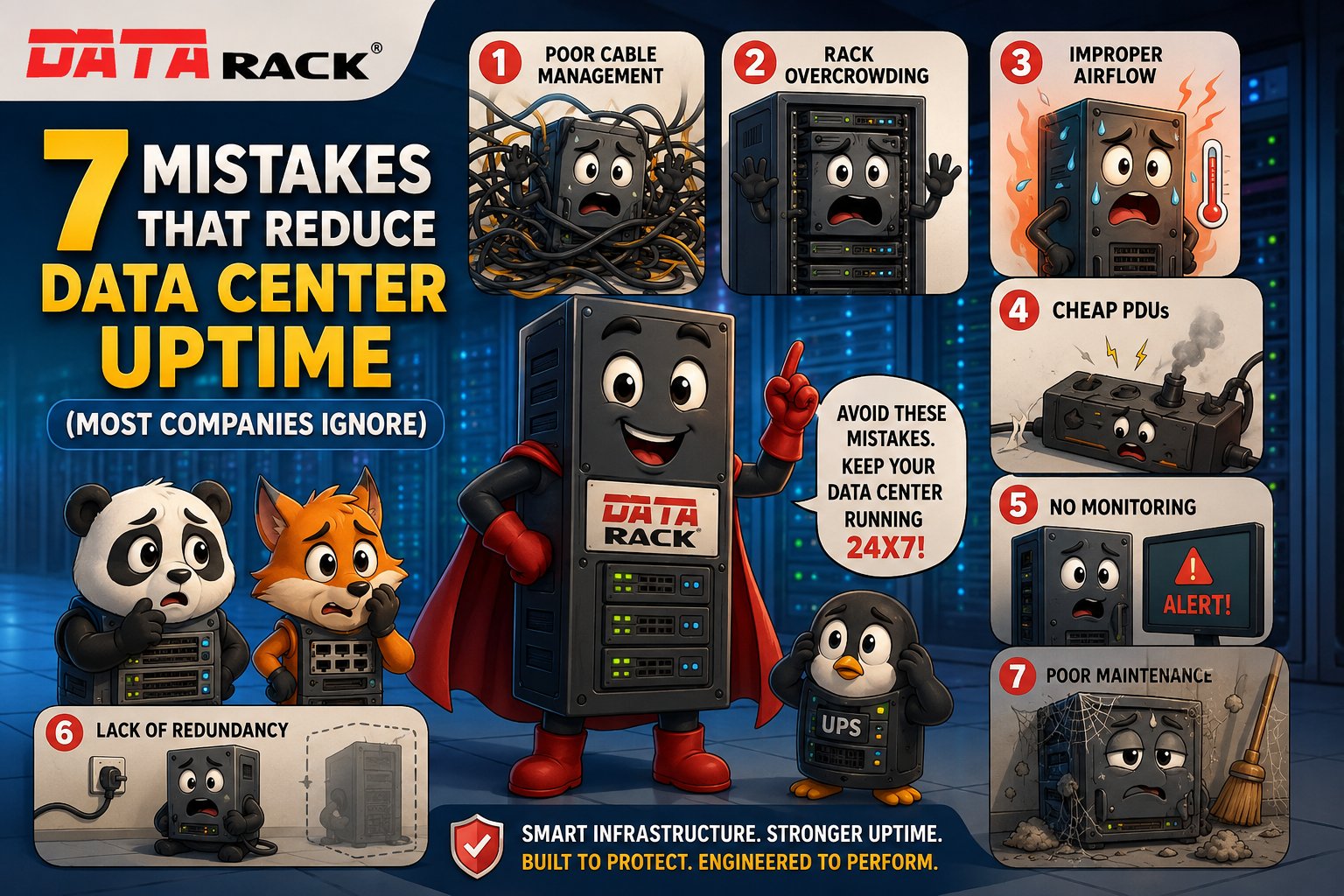
7 Mistakes That Reduce Data Center Uptime (Most Companies Ignore)
In today’s digital world, data center uptime is critical for every business. Whether you’re operating a small server room or a large enterprise data center, even a few minutes of downtime can result in lost revenue, damaged customer trust, and operational disruptions.
According to industry studies, unplanned downtime can cost organizations thousands—or even millions—of dollars depending on the size of the business.
While many companies invest heavily in servers, networking equipment, and cybersecurity, they often overlook the physical infrastructure that keeps everything running efficiently.
In this article, we’ll explore the seven most common mistakes that reduce data center uptime and explain how you can avoid them.
1. Poor Cable Management
One of the most overlooked causes of data center issues is poor cable management.
Messy cables may seem like a cosmetic problem, but they can significantly impact airflow, make maintenance difficult, and increase the chances of accidental disconnections.
Common Problems
- Tangled network cables
- Unlabeled connections
- Blocked airflow
- Longer troubleshooting time
- Higher risk of human error
Best Practices
- Install horizontal and vertical cable managers.
- Label every cable clearly.
- Separate power and data cables.
- Remove unused cables during maintenance.
Benefits
- Better airflow
- Faster maintenance
- Improved equipment reliability
- Reduced downtime
2. Overcrowded Server Racks
Trying to fit too many devices into a single rack is another common mistake.
Overloaded racks restrict airflow, create hotspots, make maintenance difficult, and increase the risk of hardware failures.
Warning Signs
- Little or no empty rack space
- Rising server temperatures
- Difficult cable routing
- Limited access for maintenance
How to Prevent It
- Choose the correct rack size based on future expansion.
- Maintain adequate spacing between equipment.
- Use shelves and accessories where required.
- Plan rack layouts before installation.
Proper rack planning improves cooling efficiency and simplifies maintenance.
3. Poor Airflow Design
Cooling failures are among the leading causes of unexpected downtime.
Even expensive cooling systems cannot perform efficiently if airflow is poorly managed.
Common Airflow Mistakes
- Blocking front or rear ventilation
- Missing blanking panels
- Incorrect rack placement
- Hot and cold air mixing
- Poor cable organization
Improve Cooling Efficiency
- Implement hot aisle/cold aisle design where applicable.
- Install blanking panels.
- Maintain front-to-back airflow.
- Monitor temperature continuously.
- Keep vents free from obstruction.
Efficient airflow helps extend equipment life and reduce energy costs.
4. Using Low-Quality Power Distribution Units (PDUs)
The Power Distribution Unit (PDU) is the backbone of rack power management.
Choosing low-quality or overloaded PDUs can lead to unexpected outages, electrical failures, and equipment damage.
Risks
- Power overload
- Uneven load distribution
- Lack of surge protection
- Limited monitoring capabilities
Best Practices
- Select enterprise-grade PDUs.
- Ensure adequate power capacity.
- Balance electrical loads.
- Consider intelligent PDUs for monitoring and alerts.
Reliable power distribution is essential for maintaining maximum uptime.
5. No Environmental Monitoring
Many organizations only discover environmental issues after equipment has already been damaged.
Monitoring environmental conditions allows IT teams to identify problems before they become costly failures.
Parameters to Monitor
- Temperature
- Humidity
- Water leakage
- Smoke
- Door access
- Power consumption
Benefits
- Early fault detection
- Faster incident response
- Reduced downtime
- Improved equipment lifespan
Real-time monitoring transforms reactive maintenance into proactive maintenance.
6. Lack of Power Redundancy
Power interruptions remain one of the biggest threats to data center availability.
Without redundancy, even a minor electrical issue can bring business operations to a halt.
Essential Redundancy Measures
- UPS systems
- Backup generators
- Dual power feeds
- Redundant PDUs
- Automatic Transfer Switches (ATS)
Redundant power architecture ensures critical systems remain operational during failures.
7. Skipping Preventive Maintenance
Many businesses wait until equipment fails before performing maintenance.
Reactive maintenance almost always costs more than preventive maintenance.
Preventive Maintenance Checklist
- Inspect rack hardware
- Tighten loose connections
- Clean dust from equipment
- Verify cooling performance
- Test UPS batteries
- Check PDU loads
- Review cable labeling
- Update documentation
Routine inspections help identify small issues before they become major outages.
Additional Tips to Maximize Data Center Uptime
Beyond avoiding the seven mistakes above, consider these best practices:
- Invest in high-quality server racks.
- Plan for future expansion.
- Use structured cable management.
- Maintain proper airflow.
- Monitor environmental conditions 24/7.
- Implement power redundancy.
- Schedule regular maintenance.
- Train staff on infrastructure best practices.
These proactive measures improve reliability, extend equipment lifespan, and reduce operational risks.
Why Physical Infrastructure Matters
Servers, networking equipment, and storage devices often receive the most attention, but the supporting infrastructure is equally important.
A well-designed data center includes:
- Robust server racks
- Efficient cable management
- Intelligent power distribution
- Effective airflow management
- Reliable cooling
- Continuous environmental monitoring
Together, these elements create a stable environment that minimizes downtime and protects critical IT assets.
Conclusion
Achieving high data center uptime isn’t just about investing in powerful servers—it’s about building a resilient infrastructure that supports them.
By avoiding these seven common mistakes, organizations can:
- Improve operational reliability
- Reduce unexpected outages
- Increase equipment lifespan
- Lower maintenance costs
- Enhance business continuity
Whether you’re building a new data center or upgrading an existing server room, investing in the right infrastructure today can save significant time, money, and operational disruption in the future.
Frequently Asked Questions (FAQs)
What is data center uptime?
Data center uptime refers to the amount of time a data center remains fully operational without unexpected interruptions or service outages.
What is the biggest cause of data center downtime?
Common causes include power failures, poor cooling, cable management issues, hardware failures, and inadequate preventive maintenance.
Why is cable management important in a data center?
Proper cable management improves airflow, simplifies maintenance, reduces troubleshooting time, and minimizes the risk of accidental disconnections.
How often should a data center be maintained?
Most organizations should perform visual inspections monthly, preventive maintenance quarterly, and comprehensive infrastructure reviews annually.
How can businesses improve data center reliability?
Businesses can improve reliability by investing in quality racks and power infrastructure, implementing environmental monitoring, maintaining proper airflow, and following a preventive maintenance schedule.
Is Your Data Center Making Any of These Mistakes?
Small infrastructure issues often lead to major downtime if left unaddressed. Investing in high-quality server racks, cable management solutions, power distribution systems, and preventive maintenance helps ensure your IT infrastructure remains reliable, scalable, and future-ready.
Looking to optimize your data center infrastructure? Data Rack Technologies offers robust server racks, intelligent power solutions, cable management accessories, and infrastructure expertise to help businesses maximize uptime and operational efficiency.