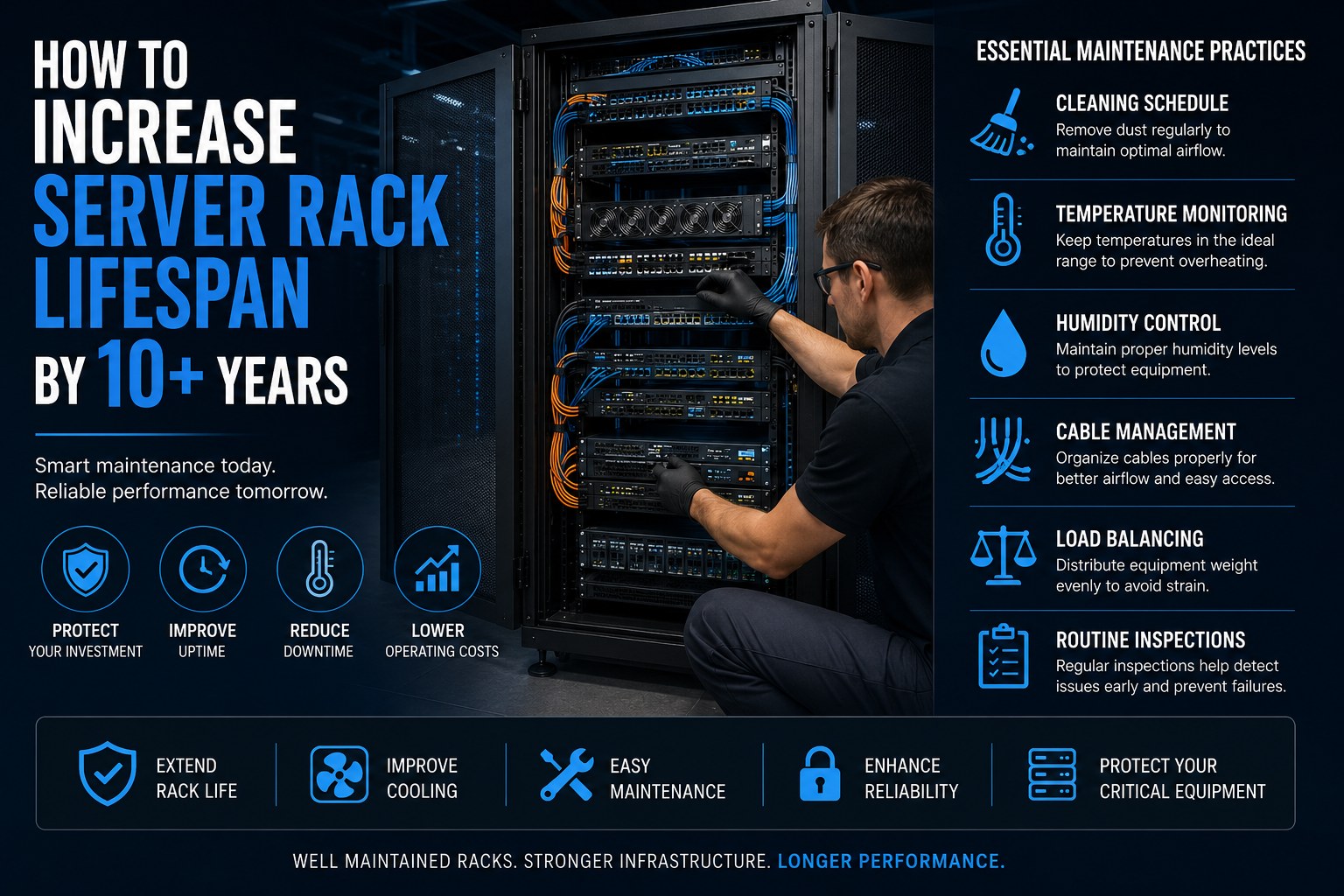
How to Increase Server Rack Lifespan by 10+ Years
A high-quality server rack is one of the most valuable assets in any IT infrastructure. While enterprise-grade server racks are designed to last for many years, their actual lifespan depends heavily on how well they are maintained.
Dust accumulation, poor airflow, cable clutter, overloaded equipment, and neglected inspections can significantly reduce the life of your rack and the equipment it houses. On the other hand, a proactive maintenance strategy can help your server rack remain reliable for 10 years or more, reducing downtime and protecting your IT investment.
In this guide, we’ll explore practical maintenance tips that help maximize the lifespan of your server rack while improving performance, cooling efficiency, and reliability.
Why Server Rack Maintenance Matters
A server rack is more than just a metal enclosure. It supports mission-critical equipment, including servers, switches, storage devices, PDUs, and networking hardware. Poor maintenance can lead to:
- Reduced airflow
- Higher operating temperatures
- Cable failures
- Increased downtime
- Hardware damage
- Costly repairs
- Shortened equipment lifespan
Routine maintenance helps maintain optimal operating conditions, ensuring your infrastructure performs efficiently for years.
1. Follow a Regular Cleaning Schedule
Dust is one of the biggest enemies of IT infrastructure. Over time, dust blocks ventilation, restricts airflow, and causes equipment to overheat.
Recommended Cleaning Schedule
| Frequency | Task |
|---|---|
| Weekly | Visual inspection for dust and loose cables |
| Monthly | Clean rack exterior and doors |
| Quarterly | Vacuum vents, cable managers, and rack base |
| Every 6 Months | Deep cleaning of the rack interior |
| Annually | Complete preventive maintenance inspection |
Best Practices
- Use anti-static microfiber cloths.
- Use compressed air carefully to remove dust from vents.
- Never use water or household cleaning chemicals.
- Clean air filters regularly if installed.
A clean rack not only looks professional but also maintains efficient airflow.
2. Monitor Temperature Continuously
Heat is the leading cause of premature hardware failure.
Servers generate significant amounts of heat, and without proper airflow, temperatures can rise quickly.
Ideal Temperature Range
- 18°C to 27°C (64°F to 80°F)
Temperatures outside this range can affect server performance and reduce component lifespan.
Tips
- Install rack temperature sensors.
- Monitor front and rear rack temperatures.
- Use intelligent PDUs with environmental monitoring.
- Set automated alerts for temperature spikes.
Continuous monitoring helps identify cooling issues before they become serious.
3. Maintain Proper Humidity Levels
Humidity is often overlooked, yet it plays a critical role in protecting IT equipment.
Low Humidity Can Cause
- Static electricity
- Electrostatic discharge (ESD)
- Component damage
High Humidity Can Cause
- Corrosion
- Condensation
- Electrical short circuits
Recommended Relative Humidity
40%–60%
Installing humidity sensors ensures your environment remains within safe operating limits.
4. Invest in Professional Cable Management
Disorganized cables do more than create a messy appearance—they can block airflow, complicate maintenance, and increase the risk of accidental disconnections.
Best Practices
- Separate power and data cables.
- Use vertical and horizontal cable managers.
- Label every cable.
- Bundle cables with reusable Velcro straps instead of plastic zip ties.
- Maintain proper bend radius for fiber optic cables.
- Remove unused cables during maintenance.
Well-organized cables improve airflow and reduce troubleshooting time.
5. Balance Equipment Load Properly
Uneven weight distribution places unnecessary stress on the rack frame and mounting rails.
Heavy Equipment Should Be Installed
- At the bottom of the rack
- Evenly across mounting rails
- According to manufacturer load specifications
Avoid placing multiple heavy UPS units or storage arrays in the upper sections of the rack.
Proper load balancing increases structural stability and improves safety during maintenance.
6. Optimize Airflow
Cooling efficiency directly impacts hardware longevity.
Airflow Best Practices
- Install blanking panels in unused rack spaces.
- Maintain front-to-back airflow.
- Avoid blocking ventilation openings.
- Use perforated doors for better ventilation.
- Keep adequate spacing between high-density equipment.
- Ensure HVAC systems are functioning properly.
Proper airflow helps maintain consistent temperatures throughout the rack.
7. Inspect Rack Hardware Regularly
Routine inspections can identify minor issues before they become costly repairs.
Check for
- Loose mounting screws
- Bent rails
- Damaged cable managers
- Corrosion
- Door alignment
- Lock functionality
- Side panel security
- Rust or paint damage
Addressing these issues early extends the life of the rack.
8. Protect Against Power Issues
Power fluctuations can damage both rack accessories and mounted equipment.
Use
- Quality Rack PDUs
- UPS systems
- Surge protection devices
- Proper grounding kits
Stable power protects your infrastructure from unexpected electrical faults.
9. Avoid Rack Overloading
Every server rack has a specified static and dynamic load capacity.
Exceeding these limits can result in:
- Structural damage
- Rail failure
- Equipment instability
- Safety hazards
Always verify the rack’s load rating before installing additional equipment.
10. Label Everything Clearly
Proper labeling simplifies maintenance and reduces human error.
Label:
- Network cables
- Power cables
- Patch panels
- Rack units (U positions)
- Switch ports
- PDUs
Clear labeling saves valuable time during upgrades and troubleshooting.
11. Perform Preventive Maintenance Audits
Preventive maintenance helps identify hidden problems before they affect operations.
A maintenance audit should include:
- Airflow assessment
- Cable inspection
- Load verification
- Environmental monitoring
- Power distribution review
- Rack security check
- Cooling performance evaluation
Document findings and schedule corrective actions promptly.
Common Mistakes That Reduce Server Rack Lifespan
Avoid these common mistakes❌
Ignoring dust accumulation
Blocking airflow with unmanaged cables
Overloading rack capacity
Poor temperature monitoring
Neglecting humidity control
Mixing power and network cables
Skipping preventive maintenance
Using low-quality rack accessories
Benefits of Proper Server Rack Maintenance
Organizations that implement regular maintenance experience:
- Longer server rack lifespan
- Improved equipment reliability
- Better cooling efficiency
- Reduced downtime
- Lower maintenance costs
- Easier upgrades
- Improved technician productivity
- Higher return on infrastructure investment
Server Rack Maintenance Checklist
Use this checklist to keep your rack in top condition✅
Clean dust from rack and equipment regularly
Monitor temperature and humidity
Inspect cable organization
Label cables and equipment
Check rack load distribution
Tighten mounting hardware
Inspect cooling fans and vents
Test UPS and PDUs
Verify grounding connections
Document maintenance activities
Future-Proof Your Server Rack
As businesses adopt AI workloads, edge computing, and higher-density servers, rack demands continue to increase. Investing in scalable infrastructure today can extend the useful life of your rack well into the future.
When selecting a server rack, look for features such as:
- High load-bearing capacity
- Efficient airflow design
- Flexible cable management
- Modular accessories
- Intelligent power distribution
- Compatibility with future expansion
Future-ready racks reduce upgrade costs and support long-term business growth.
Conclusion
A server rack is a long-term investment, and with the right maintenance strategy, it can reliably serve your organization for more than a decade. Regular cleaning, temperature and humidity monitoring, organized cable management, balanced equipment loading, and preventive inspections all contribute to better performance, higher uptime, and lower operational costs.
At DataRack Technologies, we design enterprise-grade server racks and accessories engineered for durability, scalability, and high-performance IT environments. Combined with a proactive maintenance plan, our solutions help businesses maximize the lifespan of their infrastructure while ensuring reliable operation for years to come.
Frequently Asked Questions (FAQs)
1. How long does a server rack typically last?
A high-quality server rack can last 10–15 years or more when properly maintained. Regular cleaning, environmental monitoring, and load management significantly extend its lifespan.
2. How often should a server rack be cleaned?
Perform visual inspections weekly, clean the exterior monthly, and schedule a deep internal cleaning every six months. High-dust environments may require more frequent maintenance.
3. What is the ideal temperature for a server rack?
Most data centers maintain server racks between 18°C and 27°C (64°F to 80°F) to ensure optimal equipment performance and longevity.
4. Why is cable management important for server racks?
Proper cable management improves airflow, simplifies maintenance, reduces accidental disconnections, and minimizes the risk of overheating.
5. Can overloading a server rack reduce its lifespan?
Yes. Exceeding the rack’s weight capacity can strain the frame and mounting rails, increasing the risk of structural damage and equipment failure