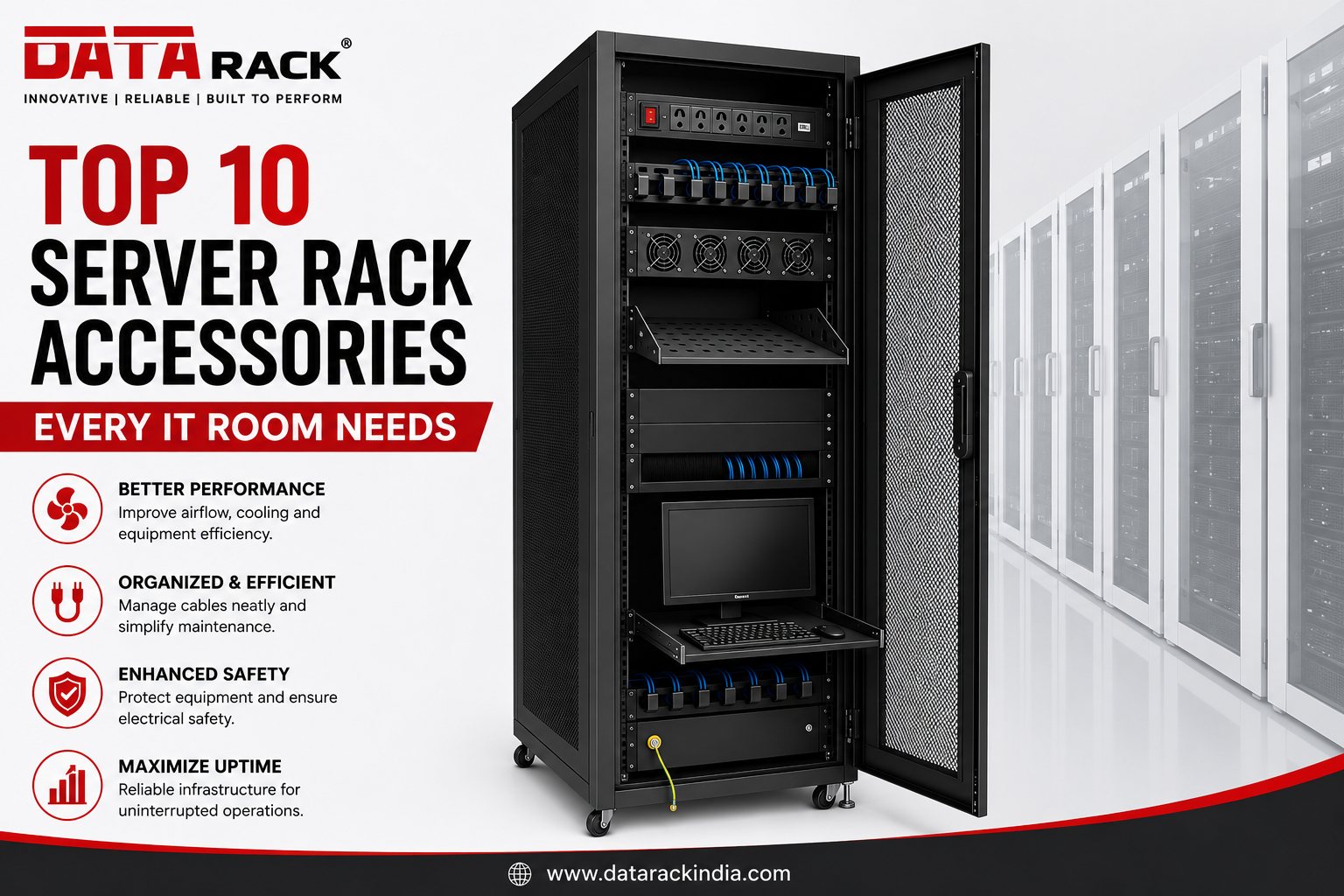
A server rack is much more than a cabinet that houses IT equipment. The right server rack accessories can significantly improve airflow, simplify cable management, enhance equipment safety, and maximize operational efficiency.
Whether you’re setting up a new server room, upgrading an existing data center, or organizing a network cabinet, investing in quality accessories helps protect your valuable IT infrastructure and reduces maintenance costs.
Why Are Server Rack Accessories Important?
Many businesses focus on selecting the right server rack but overlook the accessories that ensure it operates efficiently.
The right accessories help you:
- Improve airflow and cooling
- Organize network and power cables
- Reduce downtime
- Enhance equipment security
- Simplify maintenance
- Increase rack utilization
- Improve the professional appearance of your server room
A well-equipped rack not only looks organized but also supports better performance and long-term reliability.
1. Rack Power Distribution Unit (PDU)
A Rack PDU (Power Distribution Unit) is one of the most important server rack accessories. It distributes electrical power safely to all rack-mounted equipment such as servers, switches, routers, and storage devices.
Benefits
- Reliable power distribution
- Prevents power overload
- Easy power management
- Supports multiple devices
- Available in Basic, Metered, and Intelligent models
Best For:
- Data Centers
- Enterprise Server Rooms
- Network Cabinets
2. Horizontal & Vertical Cable Managers
Messy cables make maintenance difficult and block airflow.
Cable managers keep network and power cables neatly organized while making troubleshooting much easier.
Advantages
- Organized cabling
- Improved airflow
- Faster maintenance
- Reduced cable damage
- Professional appearance
3. Cooling Fan Tray
Heat is one of the biggest threats to IT equipment.
A rack-mounted cooling fan tray removes hot air and helps maintain the ideal operating temperature inside the cabinet.
Benefits
- Better ventilation
- Increased equipment lifespan
- Reduced overheating
- Improved airflow
4. Adjustable Server Rack Shelf
Not every device can be rack-mounted.
Shelves allow installation of:
- Modems
- Mini PCs
- DVRs
- NVRs
- Laptops
- Testing equipment
Adjustable shelves support various equipment sizes and simplify future upgrades.
5. Blanking Panels
Empty rack spaces disrupt airflow and allow hot air to recirculate.
Blanking panels cover unused rack units, improving cooling efficiency and giving the rack a cleaner appearance.
Benefits
- Better cooling
- Improved airflow
- Dust reduction
- Professional finish
6. Brush Panels
Brush panels allow cables to pass through while minimizing dust entry and preventing unnecessary airflow leakage.
They are especially useful in high-density network racks.
Advantages
- Dust protection
- Better airflow control
- Clean cable routing
- Improved cable management
7. Sliding Keyboard Tray & Monitor Shelf
Server administrators often need quick access to management consoles.
A sliding keyboard tray with monitor support provides convenient access without occupying extra floor space.
Benefits
- Space-saving
- Easy maintenance
- Comfortable operation
- Professional server room setup
8. Rack Mount Cable Organizer Rings
Cable rings keep patch cords organized and prevent cable tangling.
They are commonly installed in network racks and patch panel sections.
Benefits
- Cleaner cable layout
- Easy identification
- Reduced cable stress
- Faster troubleshooting
9. Earth (Grounding) Kit
Electrical safety is critical in every IT room.
A grounding kit protects sensitive electronic equipment from electrical faults and static discharge.
Benefits
- Enhanced safety
- Equipment protection
- Compliance with electrical standards
- Reduced risk of electrical damage
10. Castor Wheels & Leveling Feet
Server racks often need to be moved during installation or maintenance.
Heavy-duty castor wheels make transportation easy, while leveling feet ensure stability once the rack is positioned.
Advantages
- Easy movement
- Stable installation
- Simplified maintenance
- Reduced installation effort
Quick Comparison Table
| Accessory | Primary Purpose | Key Benefit |
|---|---|---|
| Rack PDU | Power Distribution | Reliable power management |
| Cable Manager | Cable Organization | Improved airflow |
| Cooling Fan Tray | Ventilation | Prevents overheating |
| Adjustable Shelf | Equipment Support | Flexible installation |
| Blanking Panel | Airflow Control | Better cooling efficiency |
| Brush Panel | Cable Entry | Dust protection |
| Keyboard Tray | Equipment Access | Space-saving operation |
| Cable Rings | Cable Routing | Organized network cables |
| Grounding Kit | Electrical Safety | Equipment protection |
| Castor Wheels | Rack Mobility | Easy transportation |
How to Choose the Right Server Rack Accessories
Before purchasing accessories, consider:
Rack Size
Ensure accessories are compatible with your rack height (U size), width, and depth.
Equipment Load
Choose shelves and mounting accessories with appropriate load capacity.
Airflow Requirements
High-density racks require efficient cooling solutions such as fan trays and blanking panels.
Future Expansion
Select accessories that support future upgrades and additional equipment.
Quality & Compatibility
Always choose accessories designed to match your rack specifications for reliable performance.
Benefits of Using Quality Server Rack Accessories
Investing in premium accessories provides several long-term advantages:
- Improved server performance
- Better equipment cooling
- Reduced maintenance time
- Enhanced cable organization
- Increased equipment lifespan
- Higher operational efficiency
- Better workplace safety
- Professional-looking IT infrastructure
Frequently Asked Questions (FAQs)
Which server rack accessory is the most important?
A Rack PDU is one of the most essential accessories because it provides safe and organized power distribution to all rack-mounted equipment.
Do I need blanking panels?
Yes. Blanking panels improve airflow, enhance cooling efficiency, and prevent hot air from circulating through unused rack spaces.
Why are cable managers important?
Cable managers organize network and power cables, making maintenance easier while improving airflow and reducing cable damage.
Can I install non-rack equipment inside a server rack?
Yes. Adjustable shelves allow you to safely install devices such as modems, DVRs, mini PCs, and testing equipment.
How often should server rack accessories be inspected?
Inspect accessories during regular preventive maintenance, especially PDUs, cooling fans, cable management systems, and grounding kits.
Conclusion
A well-designed server rack is only as effective as the accessories that support it. From Power Distribution Units (PDUs) and cable managers to fan trays, blanking panels, and grounding kits, each accessory plays a crucial role in maintaining an efficient, organized, and reliable IT environment.
By investing in the right server rack accessories, businesses can improve airflow, reduce downtime, simplify maintenance, and extend the life of critical equipment.
Whether you’re building a new server room or upgrading an existing network cabinet, choosing high-quality accessories is a smart investment that pays off in performance, safety, and long-term reliability.