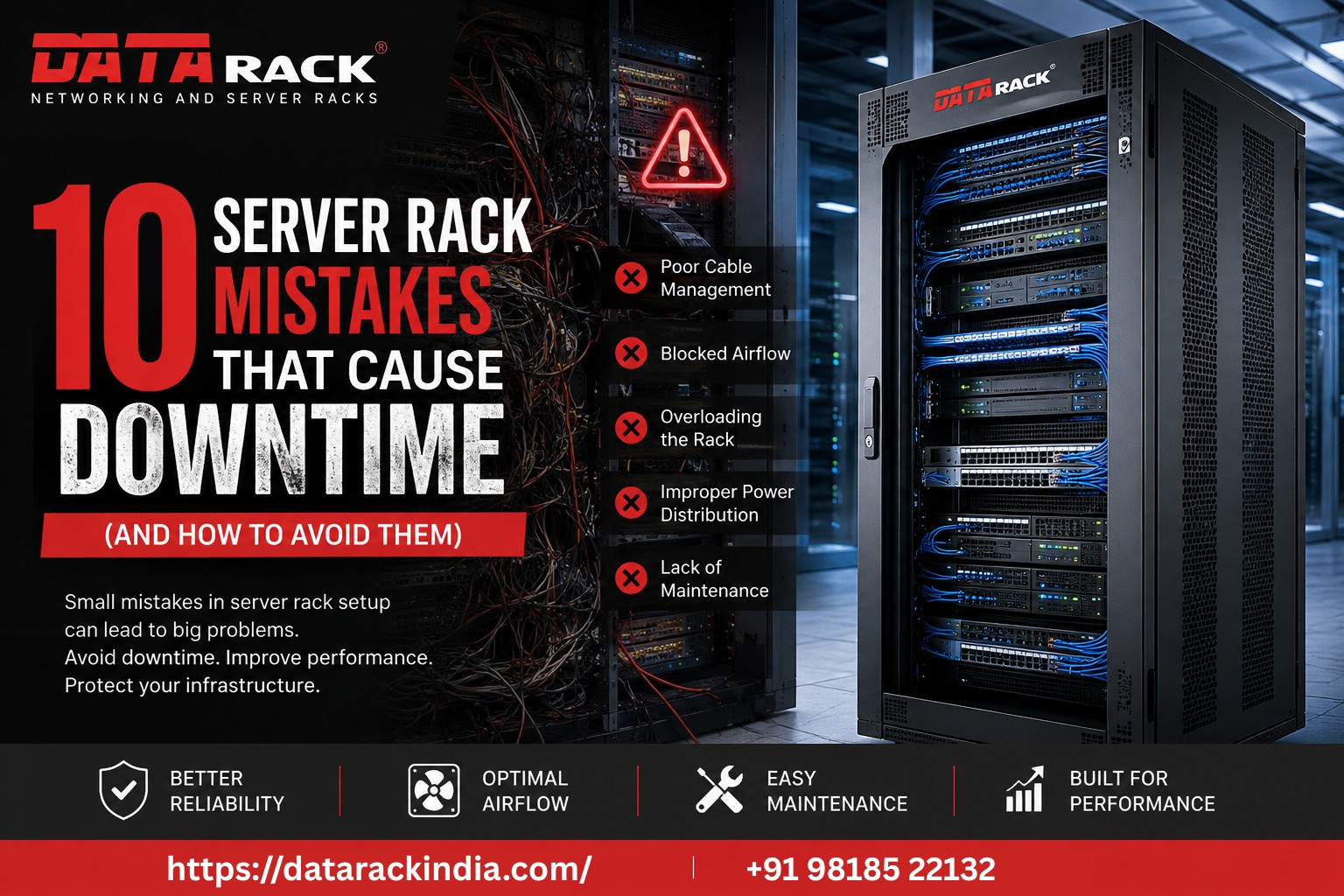
10 Server Rack Mistakes That Cause Downtime (And How to Avoid Them)
In today’s digital-first world, every second of downtime can impact productivity, customer satisfaction, and business revenue. While organizations invest heavily in servers, networking equipment, and storage systems, one critical component is often overlooked—the server rack.
A well-designed server rack does more than house equipment. It improves airflow, simplifies maintenance, enhances security, and supports future expansion. On the other hand, poor rack planning can lead to overheating, cable confusion, equipment failures, and unexpected downtime.
Here are the ten most common server rack mistakes and how to avoid them.
1. Choosing the Wrong Rack Size
One of the most common mistakes is selecting a rack based only on current equipment.
As businesses grow, additional switches, patch panels, UPS systems, storage devices, and servers require extra rack space. Purchasing a rack that is too small often results in overcrowding and expensive upgrades later.
Best Practice
- Plan for at least 20–30% future expansion.
- Choose the appropriate rack height (U size), width, and depth.
- Consider equipment weight capacity before installation.
2. Ignoring Proper Airflow
Heat is one of the biggest threats to IT equipment.
Improper airflow can create hotspots, reduce hardware lifespan, and increase the likelihood of unexpected shutdowns.
Best Practice
- Use perforated front and rear doors.
- Maintain front-to-back airflow.
- Install blanking panels to eliminate air recirculation.
- Ensure sufficient clearance around the rack.
3. Poor Cable Management
Messy cables don’t just look unprofessional—they increase troubleshooting time and raise the risk of accidental disconnections.
Disorganized cables also obstruct airflow, making cooling systems less effective.
Best Practice
- Use vertical and horizontal cable managers.
- Separate power and data cables.
- Label every cable clearly.
- Bundle cables neatly using reusable cable ties.
A properly organized rack allows technicians to identify and replace connections quickly during maintenance.
4. Overloading the Rack
Installing equipment beyond the rack’s weight capacity can compromise stability and create safety risks.
Heavy servers mounted incorrectly may also cause structural stress.
Best Practice
- Verify rack load ratings before installation.
- Position heavier equipment near the bottom.
- Distribute weight evenly.
5. Poor Power Distribution Planning
Many organizations underestimate the importance of power management until outages occur.
Overloaded circuits, inadequate PDUs, and poor cable routing can cause unnecessary interruptions.
Best Practice
- Install enterprise-grade Power Distribution Units (PDUs).
- Separate redundant power feeds where applicable.
- Monitor power consumption regularly.
6. Neglecting Physical Security
Servers often store sensitive business and customer information.
Leaving racks unlocked or easily accessible increases the risk of unauthorized access and accidental damage.
Best Practice
- Use lockable front and rear doors.
- Secure removable side panels.
- Restrict physical access to authorized personnel only.
7. Forgetting Future Scalability
Many server rooms quickly outgrow their original design.
Without room for additional networking equipment or servers, organizations face costly infrastructure redesigns.
Best Practice
- Plan layouts with future expansion in mind.
- Reserve spare units for new equipment.
- Consider modular infrastructure solutions.
8. Installing the Wrong Rack for the Environment
Indoor racks are not designed for harsh outdoor conditions.
Installing networking equipment outdoors without proper protection exposes it to rain, dust, humidity, and extreme temperatures.
Best Practice
- Use IP-rated outdoor racks for external installations.
- Ensure weatherproof sealing.
- Select racks designed for telecom, surveillance, and industrial environments.
9. Skipping Preventive Maintenance
Even high-quality infrastructure requires regular inspection.
Dust accumulation, loose connections, damaged cables, and blocked ventilation can gradually reduce system performance.
Best Practice
Create a preventive maintenance schedule that includes:
- Cable inspection
- Cleaning air filters
- Tightening mounting hardware
- Checking fan operation
- Verifying grounding
- Testing door locks
Routine maintenance helps identify small issues before they become costly failures.
10. Using Low-Quality Rack Accessories
The performance of a server rack depends on more than the cabinet itself.
Low-quality shelves, cable organizers, cooling fans, and mounting hardware can reduce reliability and increase maintenance challenges.
Best Practice
Choose accessories specifically designed for enterprise server racks, including:
- Cable management panels
- Fixed and sliding shelves
- Cooling fan trays
- Brush panels
- Blank panels
- Rack-mounted PDUs
- Adjustable mounting rails
Quality accessories improve organization, cooling efficiency, and long-term reliability.
Why Choosing the Right Server Rack Matters
A professionally designed server racks offers much more than equipment storage.
It provides:
- Improved airflow and cooling efficiency
- Faster maintenance and troubleshooting
- Better cable organization
- Enhanced physical security
- Increased equipment lifespan
- Easier scalability
- Reduced operational downtime
Investing in the right infrastructure today can save significant maintenance costs and prevent unexpected outages in the future.
Conclusion
Downtime is expensive, but many of its causes are preventable. By avoiding these common server mistakes, organizations can improve reliability, simplify maintenance, and build an infrastructure that supports long-term business growth.
Whether you’re designing a new data center, upgrading a server room, or expanding your network, selecting the right server rack—and maintaining it properly—is essential for operational success.
Frequently Asked Questions (FAQ)
What is the ideal server rack size?
The ideal size depends on your current equipment and future expansion plans. Always leave additional rack space for growth.
Why is cable management important in a server rack?
Proper cable management improves airflow, speeds up maintenance, reduces accidental disconnections, and keeps the infrastructure organized.
How often should a server rack be maintained?
A visual inspection every month and a comprehensive preventive maintenance check every three to six months is recommended, depending on the environment.
What is an outdoor server rack?
An outdoor server rack is an IP-rated enclosure designed to protect networking equipment from rain, dust, humidity, and harsh weather conditions.
Which industries use server racks?
Server racks are widely used in data centers, enterprises, telecom, manufacturing, healthcare, education, banking, government facilities, and smart city projects.